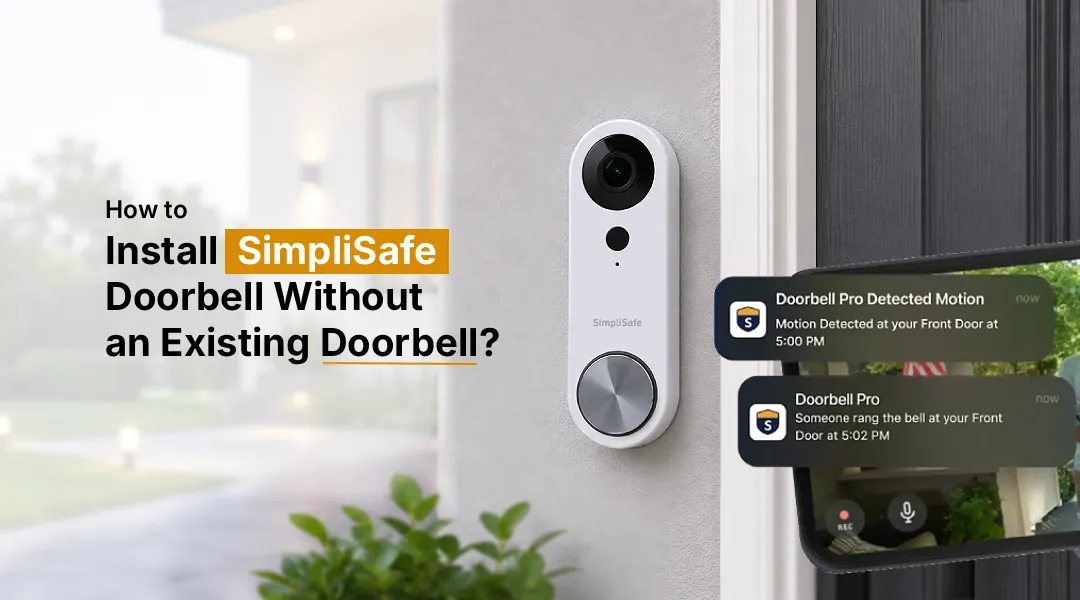
You can install a SimpliSafe doorbell without existing doorbell wiring by either running new wiring with a transformer and mechanical chime or using an indoor plug-in adapter (like the OhmKat power supply) with a plug-in chime. Standard hardwired setups need an 8–24 VAC, 10–30 VA transformer plus a 2.4GHz Wi-Fi connection and the SimpliSafe app to pair. If your SimpliSafe doorbell camera not working after install, it’s almost always a power issue, wrong voltage, loose wiring, or an incompatible chime.
Not every home comes with a wired doorbell already in place, especially newer builds, renovated houses, or homes where the old chime was removed. If you’ve just unboxed a SimpliSafe Video Doorbell Pro and realized you don’t have existing doorbell wiring, you might be wondering if this smart doorbell is even an option for you. The good news is that it’s entirely possible to install Simplisafe doorbell without existing doorbell wiring already in the wall. It just takes a bit of extra setup compared to a simple swap-and-go installation. This guide walks you through exactly what you need, the two main installation routes, and how to troubleshoot common issues once everything is connected.
Can You Install SimpliSafe Doorbell Without Existing Doorbell?
Unlike battery-powered doorbells such as Ring or Blink, the SimpliSafe Video Doorbell Pro is built to draw continuous power from doorbell wiring. It doesn’t have a swappable battery, so it needs a consistent low-voltage power source to function. That means if you want to know how to install SimpliSafe doorbell without existing doorbell wiring, you’ll need to supply that power another way rather than skip it entirely.
There are two practical approaches homeowners use:
Option 1: Run New Doorbell Wiring (Traditional Hardwired Method)
This is the closest thing to a “standard” installation and is the method SimpliSafe officially supports.
Things you need
- A doorbell transformer rated 8-24 VAC, 10–30 VA
- 18-gauge, 2-conductor doorbell wire
- A mechanical chime box (digital chimes are not supported)
- A SimpliSafe Chime Connector, available free from SimpliSafe support
- Basic tools: drill, wire strippers, screwdriver
Steps
- Turn off power at the breaker before doing any wiring work.
- Mount a doorbell transformer near your electrical panel or an accessible junction box, following local electrical codes. If you’re not confident working with electrical wiring, hire a licensed electrician for this step.
- Run 18-gauge doorbell wire from the transformer to your chosen doorbell location and to a mechanical chime box inside the home.
- Install the Chime Connector between the chime and the wiring, this component is required for the doorbell to draw enough power without damaging the chime.
- Mount the Video Doorbell Pro’s bracket, connect the two wires to the terminals (polarity doesn’t matter), and slide the doorbell into place.
- Restore power and confirm the LED lights up.
Option 2: Use a Plug-In Power Adapter (No Wiring Required)
If running new wiring isn’t feasible, a plug-in solution is a popular workaround for SimpliSafe doorbell installation without existing doorbell infrastructure.
What you’ll need?
- An indoor low-voltage power adapter designed for the SimpliSafe Video Doorbell Pro (the OhmKat adapter is the most commonly recommended)
- A plug-in wireless chime (optional, for audible alerts inside the home)
- A small drill bit to route the adapter’s wire through the wall to the doorbell location
Steps
- Choose a spot near the front door where you can drill a small hole through to an interior wall.
- Plug the adapter into an indoor outlet — never an outdoor outlet, since exposure to weather can damage it or create a safety hazard.
- Feed the adapter’s wire through the wall to the exterior mounting location.
- Connect the wire to the Video Doorbell Pro’s terminals just as you would with traditional wiring.
- If you want an audible indoor alert, plug in a compatible wireless chime near a frequently used room.
This method skips the transformer and mechanical chime entirely, making it a faster fix. However, notifications will rely more heavily on your phone and the plug-in chime rather than a traditional doorbell sound.
Connecting Your SimpliSafe Doorbell to Wi-Fi
Once the steps to install Simplisafe doorbell without existing doorbell are complete and the power is connected, download the SimpliSafe app and log into your account (you can also manage devices anytime by visiting SimpliSafe.com login page and logging in on desktop). Open the app, select “Add a Device,” and choose the Video Doorbell Pro. The app will prompt you to select your 2.4GHz Wi-Fi network and display a QR code; point the doorbell’s camera at the code to complete pairing. Once connected, you’ll name the device and confirm live video is streaming before finishing setup.
Troubleshooting SimpliSafe Doorbell Camera Issues
If you encounter SimpliSafe doorbell camera not working like issues after installation, check these common culprits first:
- No power/LED not lighting up: Confirm your transformer or adapter is delivering 8-24 VAC. An underpowered or overloaded transformer is the most frequent cause of failure.
- Chime not ringing: Digital chimes aren’t compatible; you need a mechanical chime with a chime connector installed correctly.
- Camera offline in the app: Usually a Wi-Fi signal issue. Move your router closer or add a Wi-Fi extender near the door.
- Doorbell won’t pair: Double-check you’re connecting to a 2.4GHz network, since the doorbell won’t detect 5GHz-only networks.
- Intermittent power loss: Loose wiring at the terminals or an undersized transformer (below 10 VA) can cause the doorbell to reset randomly.
The Final Word
While the SimpliSafe Video Doorbell Pro is designed with wired homes in mind, it’s absolutely possible to install Simplisafe doorbell without existing doorbell wiring using either a new hardwired setup or a plug-in adapter solution. Match the power source to SimpliSafe’s voltage requirements and confirm your Wi-Fi is 2.4 GHz, and you’ll have a fully functioning smart doorbell even in a home that never had one before.
Frequently Asked Questions
The SimpliSafe Video Doorbell Pro requires a transformer rated between 8 and 24 VAC, with 10–30 VA of output. Using a transformer below this range can cause the doorbell to malfunction, while significantly exceeding it may risk damaging the wiring or chime.
Yes. A compatible indoor plug-in power adapter, such as the OhmKat power supply made specifically for the SimpliSafe Video Doorbell Pro, can replace a traditional transformer and mechanical chime setup, making it ideal for homes without existing doorbell wiring.
For the standard hardwired installation, yes, a mechanical chime paired with a Chime Connector is required. If you use a plug-in power adapter instead, you can skip the mechanical chime and rely on a plug-in wireless chime or phone notifications.
Open the SimpliSafe app, select “Add a Device,” choose the Video Doorbell Pro, and connect it to a 2.4GHz Wi-Fi network by scanning the QR code shown in the app. A 5GHz-only network will not work.
This is almost always a power issue. Confirm the transformer or adapter matches the required voltage range, check that wiring is securely connected to both terminals, and verify the circuit breaker supplying power is switched on.