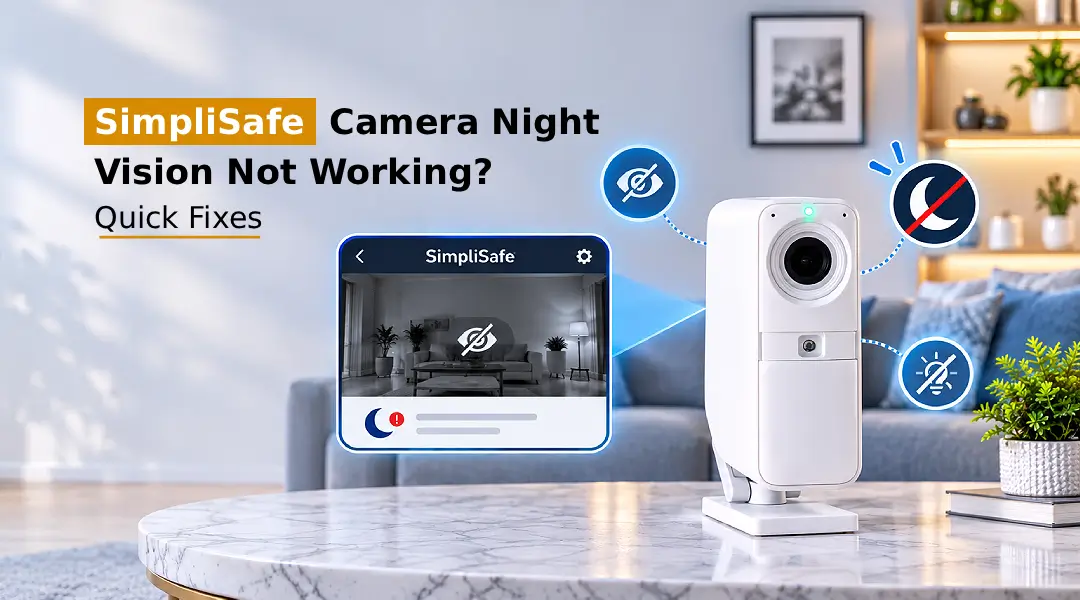
If your SimpliSafe camera night vision not working, first check whether night vision is turned on in the camera settings. Clean the camera lens. Make sure the infrared LEDs are not blocked. Restart the camera. Look for firmware updates. Also check that the camera has a power supply and a clear view of the area around it for better night vision.
SimpliSafe cameras are great for keeping your home secure both day and night. The night vision enables you to see what is going on in dark spaces. However, sometimes you may run into issues such as a black screen or unclear videos at night. Your SimpliSafe camera night vision not working could be due to incorrect settings, poor lighting, a dirty lens or out-of-date firmware. This guide will show you how night vision works and some ways to get your camera back to working clearly at night.
Why Is SimpliSafe Camera Night Vision Not Working?
There are several reasons why your camera may not be displaying clear footage at night. Knowing what could be causing the issue will help you work out what solution to try;
- Camera settings disabled – The camera may not be automatically switching to night vision due to incorrect settings.
- Dirty lens – Dirt, smudges, and grime on your camera lens can cause issues with the infrared light.
- Low battery power – Your camera can suffer from low power if your battery is running low or if you have an unstable power source.
- Outdated firmware – Older firmware can cause issues with your camera.
- IR LED issues – If your IR LEDs are damaged or faulty, the camera may not take any pictures in the dark.
- Incorrect positioning – Having reflective objects, glass, walls or obstructions nearby can cause problems with the infrared light.
These issues can also affect users who are having problems with their SimpliSafe doorbell camera night vision not working.
How Does SimpliSafe Camera Night Vision Work?
SimpliSafe camera night vision will typically use IR technology to record footage in low-light conditions. If there isn’t enough light in the area, compatible cameras will automatically switch to using infrared LED lights. The camera then records the reflected infrared light to produce black-and-white footage. This means that you can still keep an eye on areas around doors, corridors, driveways etc. Depending on the model of camera, some will have varying levels of night vision.
How to Turn On Night Vision on a SimpliSafe Camera?
To enable night vision on your compatible SimpliSafe camera, follow the steps below:
- Open the SimpliSafe app on your smartphone.
- Open the SimpliSafe account login option and log in with your SimpliSafe account details.
- Go to the camera tab and find your installed camera.
- Open your camera settings. Look for any night vision or infrared settings.
- If there is an automatic setting for night vision, enable it.
- Save your settings and test your camera in a dark area.
If there is no manual switching for night vision on your camera, it may automatically switch to Infrared when needed based on light conditions.
How to Adjust SimpliSafe Camera Night Vision Settings?
Ensuring that the camera is properly set up will increase visibility at night and reduce any issues with your camera footage.
- Open up the SimpliSafe app.
- Select your camera.
- Go to settings or video settings.
- Ensure auto night vision or IR is on if available.
- Review any other options related to the camera’s image quality, brightness, etc.
- Save your changes and view the video feed.
Depending on your SimpliSafe camera and app, you may not have access to certain settings. If there is no specific night vision setting, check the instructions for your camera model.
How to Enable Night Vision Through the SimpliSafe App?
You can use the mobile app to adjust compatible camera settings and confirm that your device is working.
- Launch the SimpliSafe app on your Android or iOS device.
- Follow the prompts to complete SimpliSafe app setup and log in to your account.
- Tap the camera you wish to configure.
- Click into the settings of the camera to see what video and night vision settings are available.
- If there is an option to enable automatic infrared, then click this.
- Go back to the live view and test your camera.
If the camera is not responding, try closing and reopening the app. You can also update the app from your device’s app store.
How to Improve SimpliSafe Camera Night Vision Quality?
If you have night vision activated, but you are getting dark, hazy, or unclear video footage, then try the following.
- Ensure the lens is clean by wiping it with a soft microfiber cloth.
- Ensure that the camera is set up correctly to capture the area you want without any obstructions nearby.
- Avoid placing the camera to directly face glass, glossy surfaces or reflective objects.
- Ensure that the camera has enough battery or electrical power.
- Ensure that there are adequate lights around the camera. If there isn’t enough infrared light, add appropriate external lighting.
- Check for firmware updates using the SimpliSafe app or instructions on our support page.
- Try restarting the camera.
If none of the above helps, try reset SimpliSafe camera option using the recommended reset method for your camera model. Once reset, connect the camera back up and check the night vision.
Common Problems and Fixes: SimpliSafe Camera Night Vision Not Working
When trying to fix the SimpliSafe night vision not working problem, you may come across a few problems. Some common issues are:
Blurred Video – Wipe the camera lens clean with a microfibre cloth.
No Night Vision Switching On – Ensure infrared is working and check camera settings.
Black Screen at Night – Try restarting your camera. Check that it is powered properly.
Too Much Swapping – Ensure there aren’t any reflective objects nearby and ensure there are no changing light sources.
Camera Not Connecting – Check that Wi-Fi is working. Restart your router.
Not Updating Settings – Restart the SimpliSafe app. Check for updates.
Poor Visibility – Move the camera. Improve lighting around the camera.
Note: If this still isn’t working, then get in touch with SimpliSafe support.
FAQs:
Does SimpliSafe Camera Have Night Vision?
Yes! The compatible SimpliSafe cameras do have Night Vision. This uses infrared technology to take images in low-light conditions.
How Does SimpliSafe Camera Night Vision Work?
The cameras will have infrared LEDs that light up the surroundings. This will then allow the camera to pick up the infrared reflections and display them as black-and-white images.
How Do I Turn On Night Vision on My SimpliSafe Camera?
Open the SimpliSafe app and select your camera. Enable the video or Night Vision settings. Enable the automatic IR function if your model allows it. Some models will automatically turn on their Night Vision.
How Do I Turn Off Night Vision on a SimpliSafe Camera?
If your camera has manual controls for Night Vision, navigate to the camera settings within the app. Look for a setting with the word infrared or Night Vision. If there are no manual controls, your camera may automatically enable Night Vision.
Why Is My SimpliSafe Camera Night Vision Not Working?
A few common reasons why the cameras may not be working in Night Vision are dirty lenses, disabled settings, lack of power, out-of-date firmware, faulty infrared LED or incorrect camera positioning. Ensure you clean the lens, restart the camera, and check the settings.
Why Is My SimpliSafe Camera Blurry at Night?
The camera may be blurry due to dirty lenses, reflections from nearby objects using the infrared, condensation or lack of lighting. Clean the lens and change the position of the camera.
Can I Adjust Night Vision Settings Through the SimpliSafe App?
You can change the settings available on the camera and video within the app. However, some models may not have manual controls for the Night Vision.
Does SimpliSafe Outdoor Camera Have Color Night Vision?
This depends on what model of outdoor camera you have. Many cameras with infrared Night Vision will display black and white images when it is dark. You may need enough visible light or color night vision enabled for color images.
Final Thoughts
The SimpliSafe camera night vision not working issue can be fix easily but needs to follow complete guidelines. Check your device settings and make sure that your camera lens is clean and in a good position. Restarting your camera may also help. Keep your firmware and app up to date for reliable performance. If you are still having issues with infrared, then please contact SimpliSafe support. They will be able to tell you if you need to get your camera repaired or replaced.